How to Become a Member

Thank you for your interest in becoming a member!

Follow the steps below on account creation and accessing content (click any link below to be taken to that section):

How to Create an Account

  • If you haven’t entered your email yet for initial account creation, simply enter it in the box below.

Add your email below, to become a free member and receive our newsletter and total access to our Members-Only Resource Pages!

By becoming a member you agree to receive news, offers and updates via email from Vesica, PurCrystal™ and partners and your personal data will be used to support your experience throughout this website, to manage access to your account, and for other purposes described in our privacy policy.

*Once you submit the form an email will be sent for you to confirm your email address and create your account password.

*You may need to check your spam/junk folder if you don’t see the email.

Access to our Members-Only Resource Pages…

  • Articles & Videos
  • Free Excerpts from paid Courses
  • Newsletters with Discount Codes + Latest News Updates!
seer logo horus newer edit How to Become a Member Vesica Institute for Holistic Studies
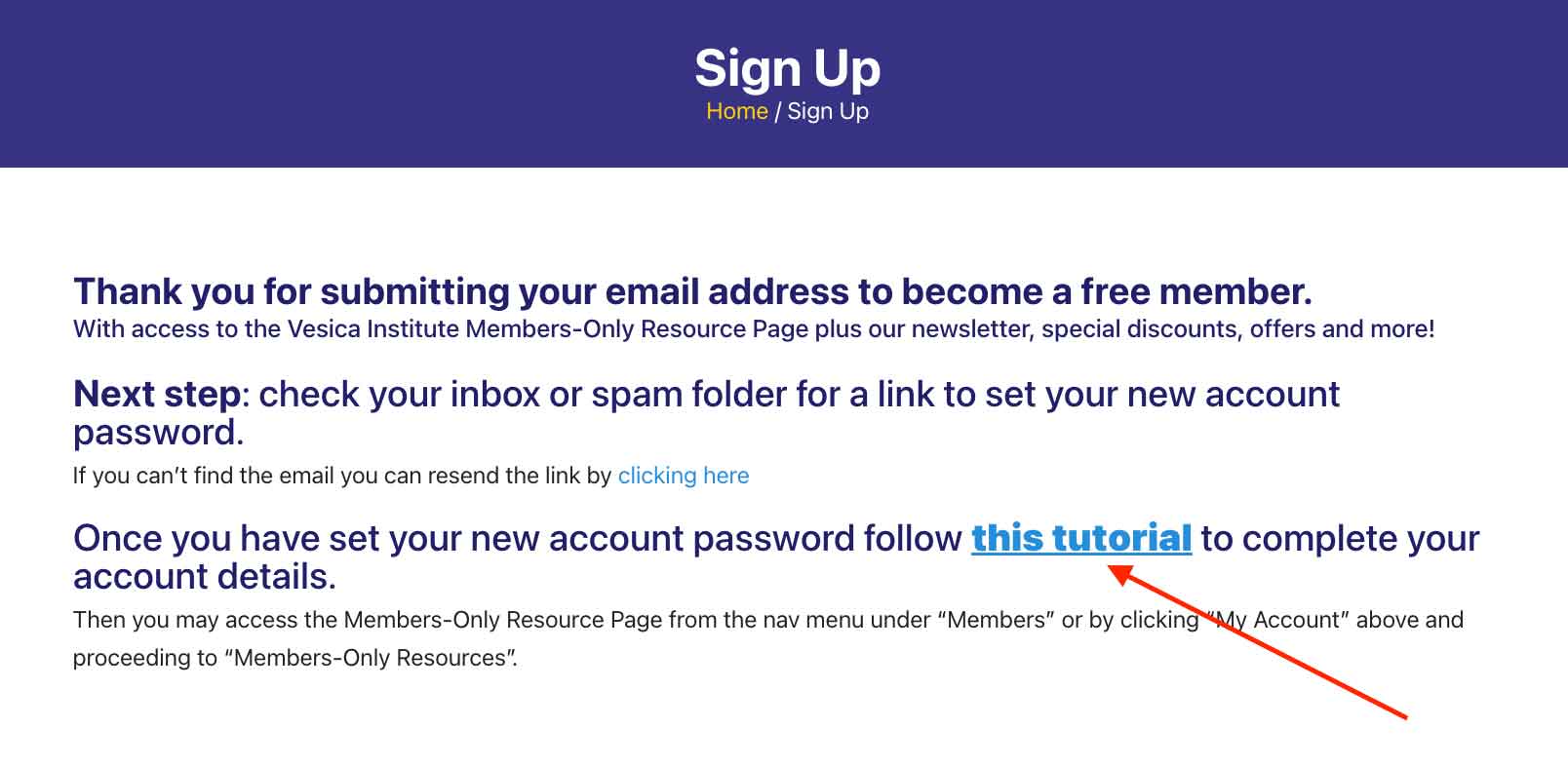
  • After you do so, you will be taken to the page below.  Click the link that says “this tutorial“:
    tutorial 1a How to Become a Member Vesica Institute for Holistic Studies
  • After you do so, you will be taken back to this same page.
  • Once you are back here, you can then go to the next step in the section below “How to Access Your Members Dashboard and Finish Setting Up Your Account”.

If you experience any difficulties in creating your account, please reach out to us at tech@vescia.org.

How to Access Your Members Dashboard
and Finish Setting Up Your Account

In order to successfully log in and out of your account, you will need to finish setting up your account. 
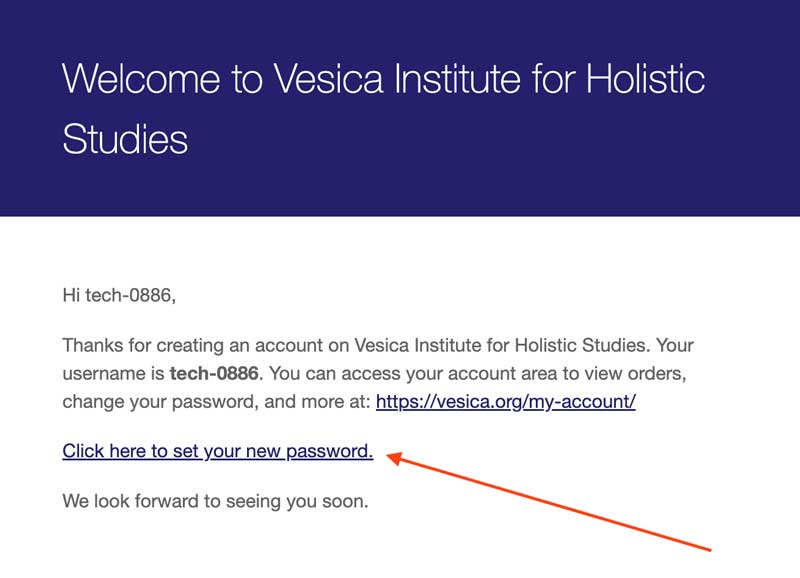
  • You should have received an email titled “Your Vesica Institute for Holistic Studies account has been created!”
  • If you haven’t received the email, you can resend the link by going here. 
  • After you locate the email, open it and click the “Click here to set your new password.” link:
    tutorial 18 How to Become a Member Vesica Institute for Holistic Studies
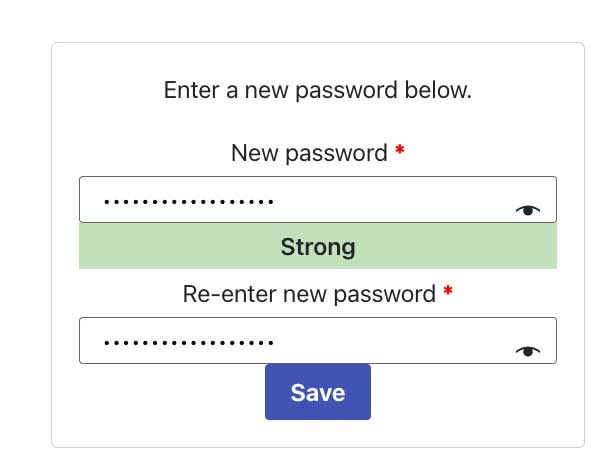
  • On the page it takes you to, set your new password by putting your desired password in the “New password” field and then put that same exact password in the box below, “Confirm password“. 
    The password should be at least ten characters long. To make it stronger, use upper and lower case letters, numbers, and symbols like ! ” ? $ % ^ & ).:
    tutorial 7 How to Become a Member Vesica Institute for Holistic Studies
  • Click “Save”
  • After you save, you will be taken to the login screen. On the right hand side of the screen. Re-enter your account information and click “Login” on the next screen.
  • You will then be taken to your account dashboard.

If you experience any difficulties in resetting your password, please reach out to us at tech@vescia.org.
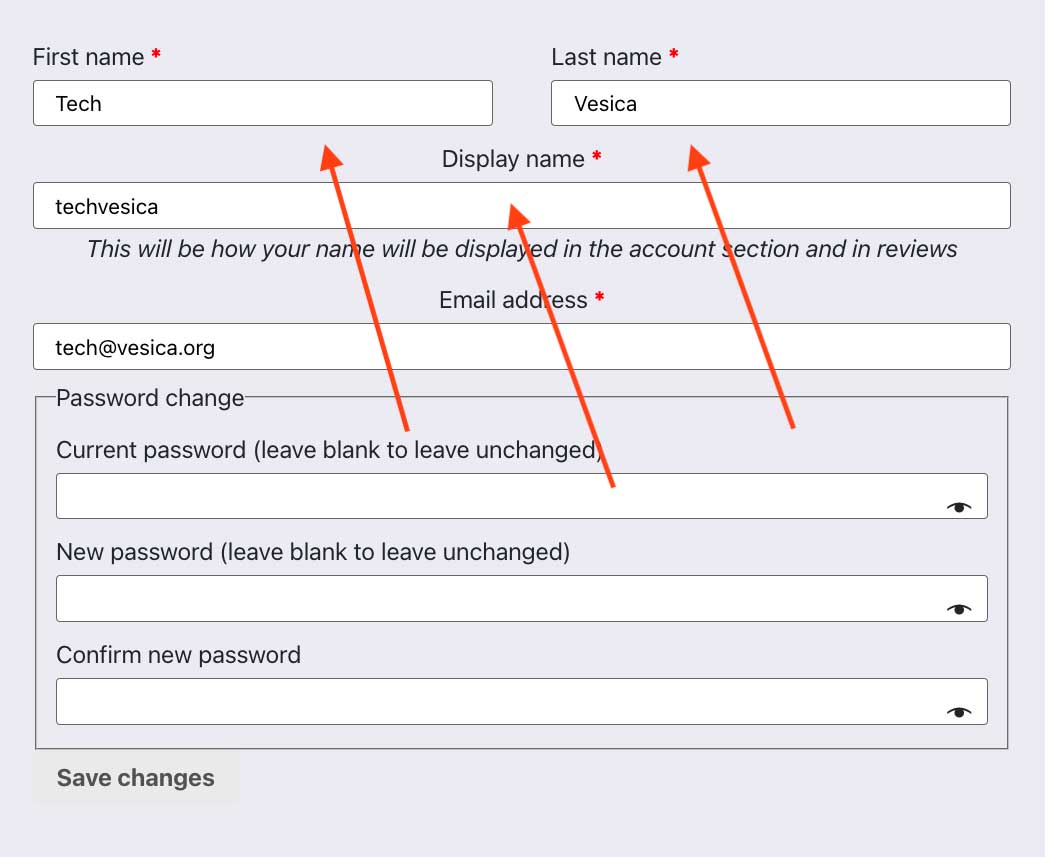
How to fill out your account information and finish setting up your account:

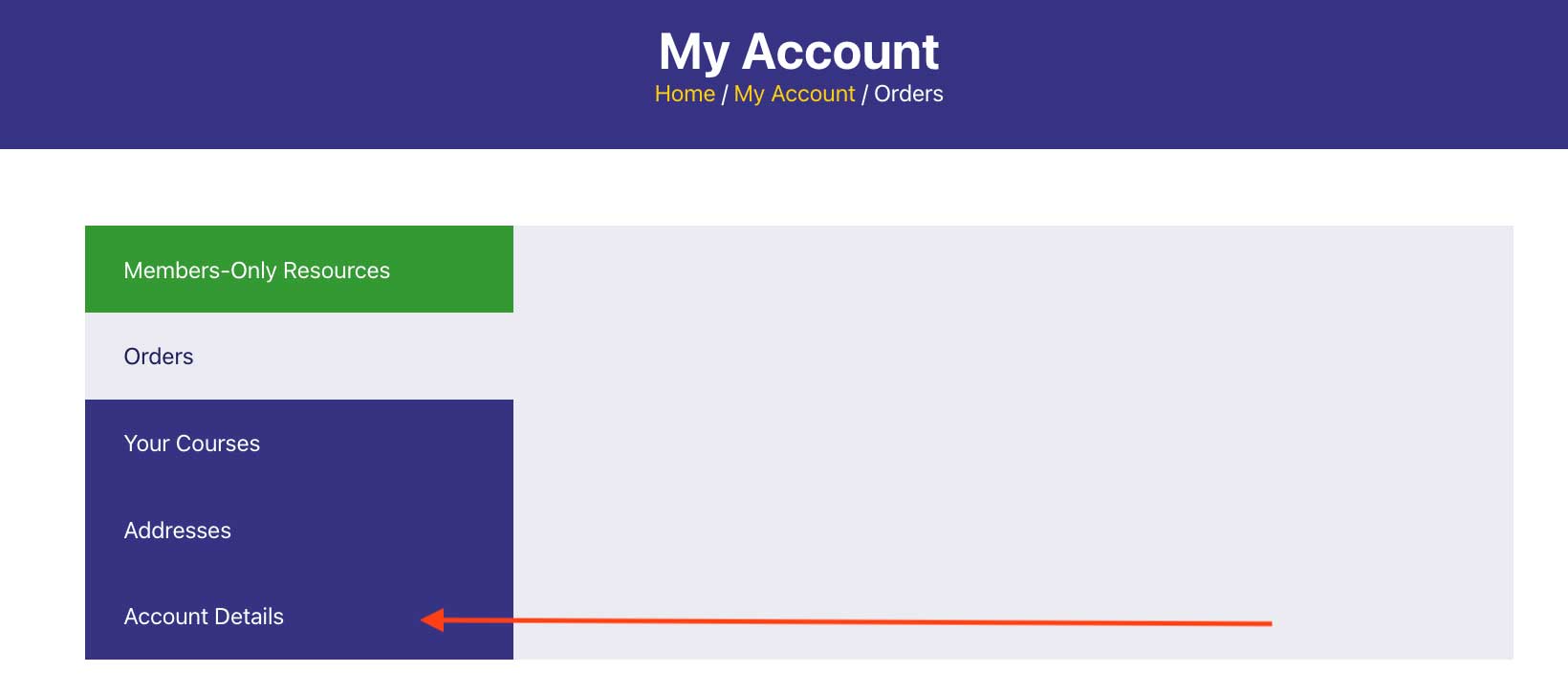
  • After you log in, go to “Account Details” on the left hand side of your account dashboard:
    tutorial 2a How to Become a Member Vesica Institute for Holistic Studies
  • Enter your First name, Last name, and Display name in the designated locations:
    tutorial 3a How to Become a Member Vesica Institute for Holistic Studies
  • Because you have just created a password, there is no need to change it.  However, if you need to reset your password for personal resaon, you can do so here by putting your Current Password in the “Current password” field and putting a New Password in the “New password” field. Then put that same exact new password in the box below, “Confirm password“. 
    The password should be at least twelve characters long. To make it stronger, use upper and lower case letters, numbers, and symbols like ! ” ? $ % ^ & ).
  • If all of the information you entered is correct, click “Save Changes“.
  • You have now finished account set up!  Go to the next section for information on how to access the Members-Only Resource Page for exclusive content.

If you experience any difficulties finishing your account set up, please reach out to us at tech@vescia.org

How to Access the Members-Only Resource Page
for Exclusive Content

Now that your account is set up, you can now access the Members-Only Resource Page for Exclusive content. 

There are 2 main ways to access the Members-Only Resource Page:
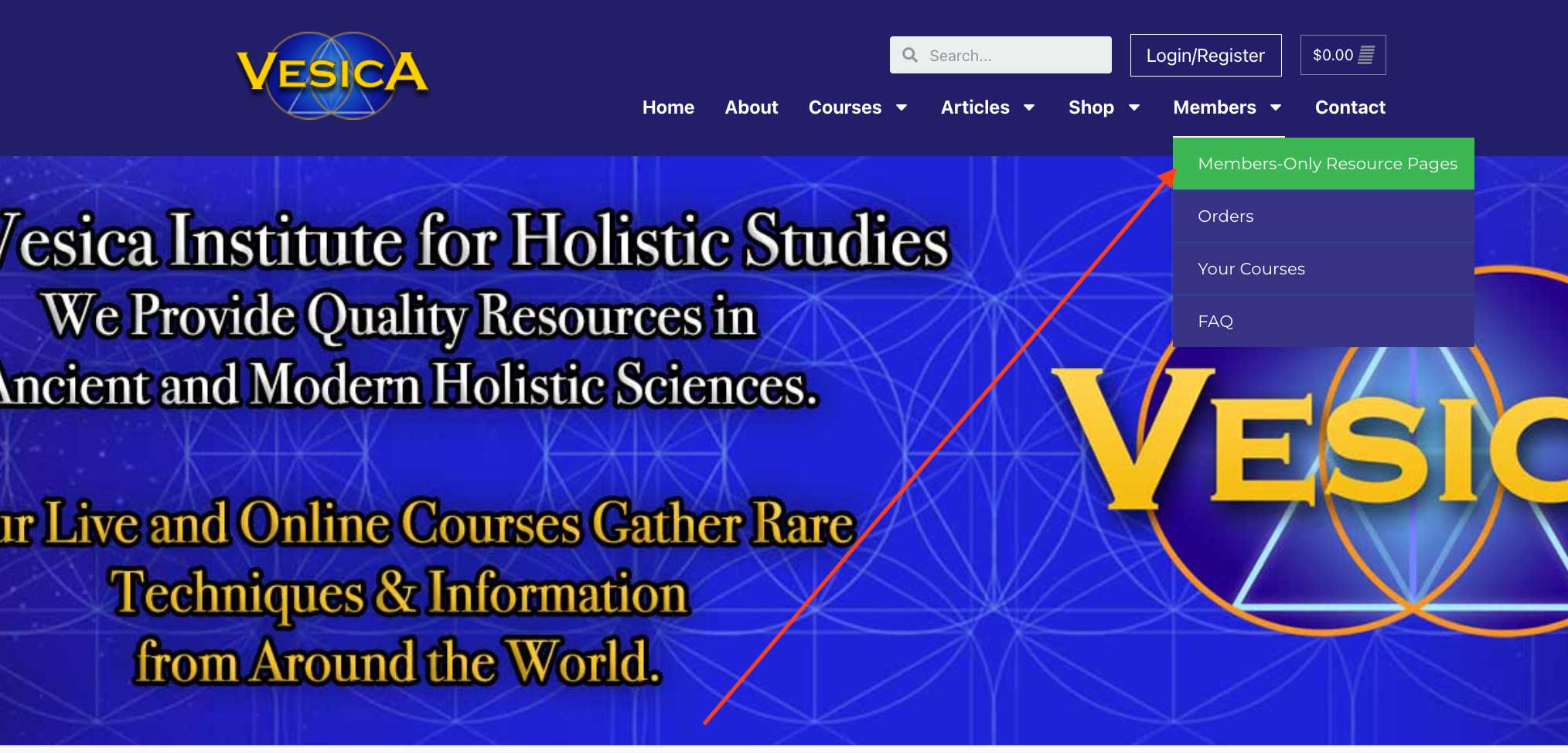
  • Through the dropdown menu under Members at the top of the screen:
    tutorial 4a How to Become a Member Vesica Institute for Holistic Studies
  • Or by logging into your account and accessing it through the Main Account Dashboard. See below for instructions.

Logging into your Account and Accessing the Main Account Dashboard:

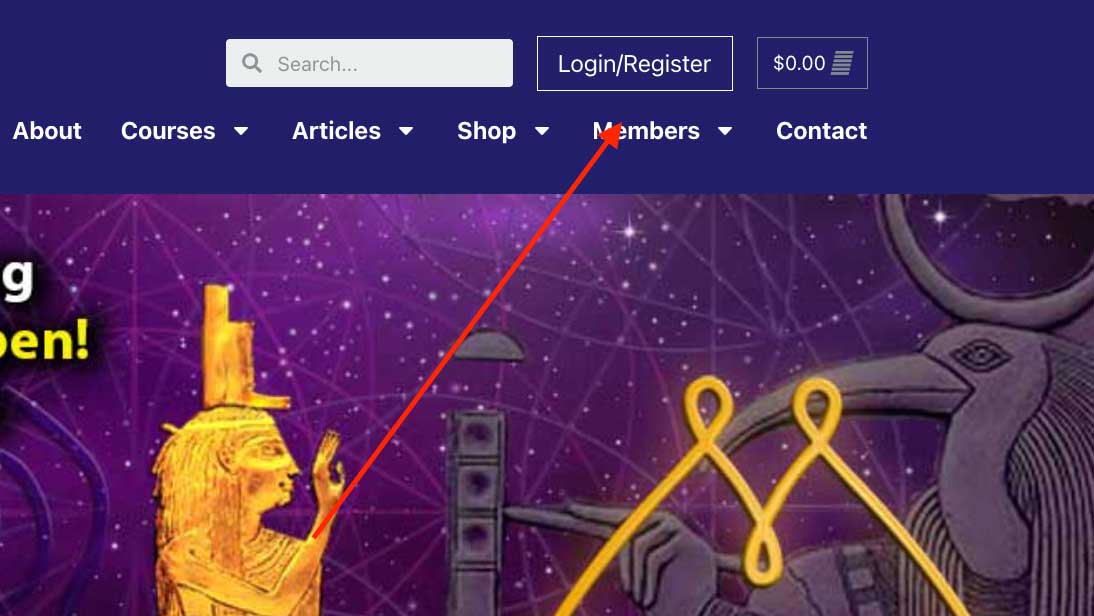
  • Log into your account. You can login by click the “Login/Register” button on the top of any page on Vesica.  This same button will also take you to your account dashboard after you have logged in:
    tutorial 8a How to Become a Member Vesica Institute for Holistic Studies
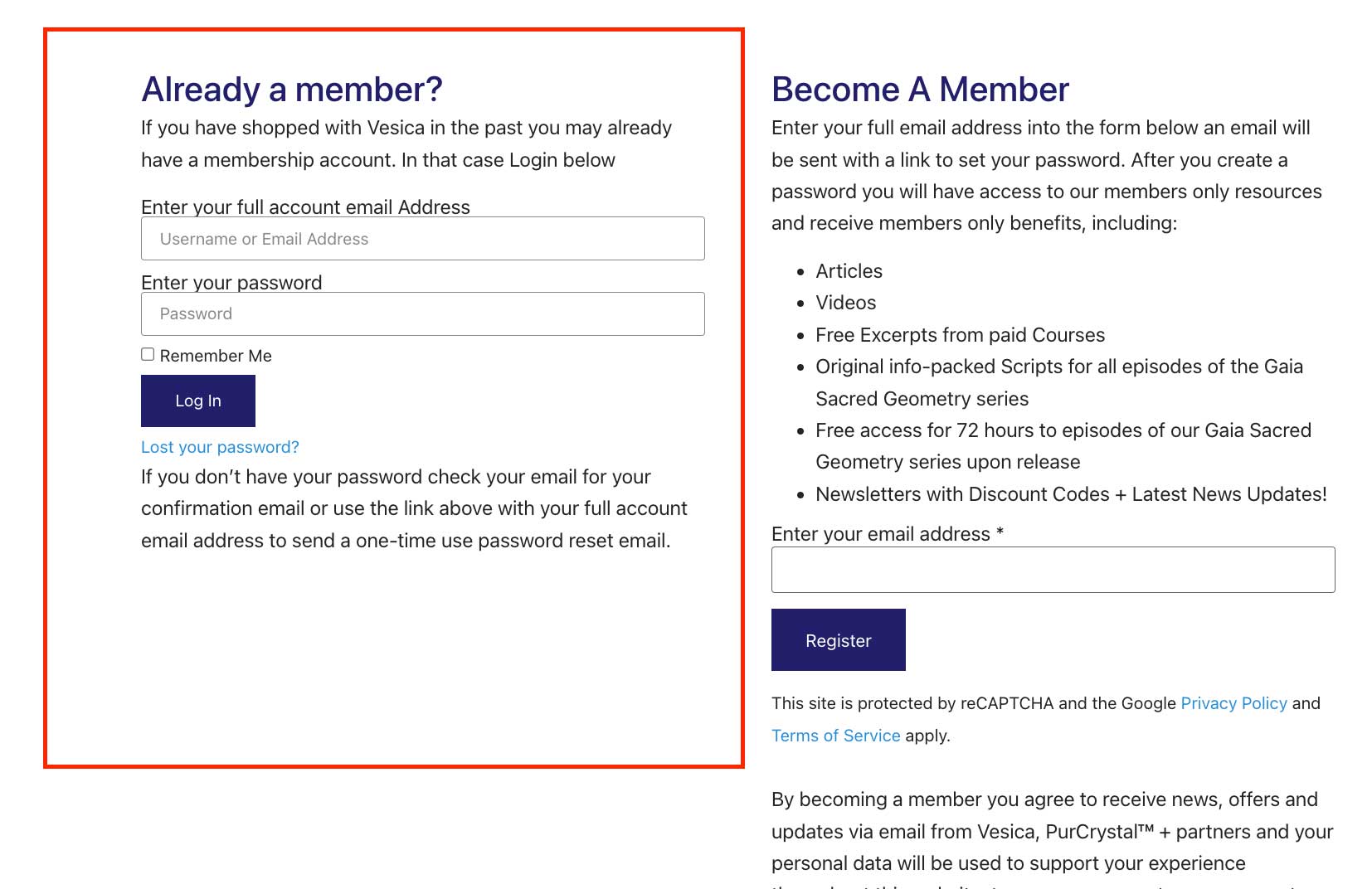
  • Enter your account information on the left hand side, in the section “Already a member?“:
    tutorial 5a How to Become a Member Vesica Institute for Holistic Studies
  • You will now be taken to your main account dashboard.

If you experience any difficulties accessing your account, please reach out to us at tech@vescia.org.

Accessing the Members-Only Resource Page:

After you are logged in, click the tab on the left hand side that says “Members-Only Resource Page”, as seen below:
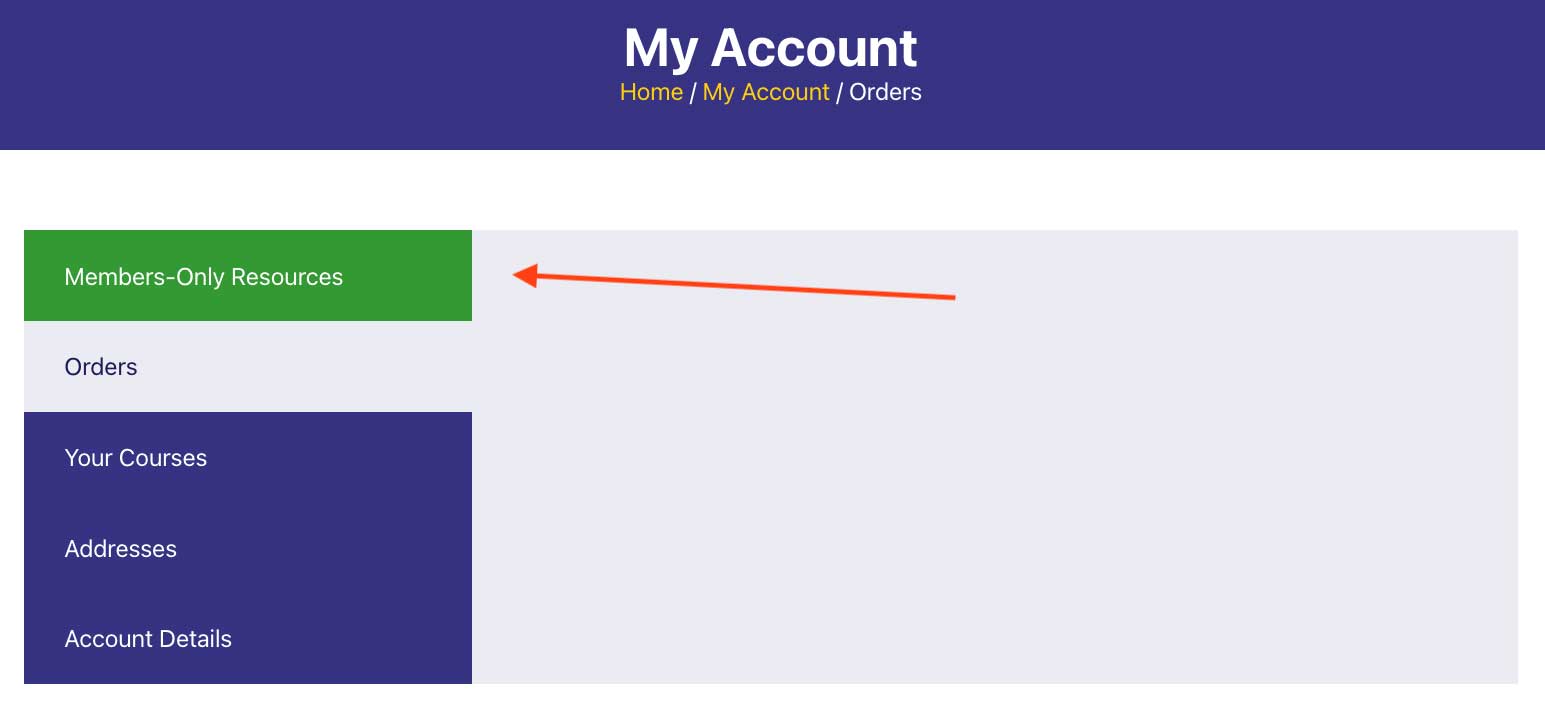
tutorial 6a How to Become a Member Vesica Institute for Holistic Studies

Or you can click the button below to go to the page:

If you experience any difficulties accessing the Members-Only Research Page, please reach out to us at tech@vescia.org.

How to Access Courses You have Enrolled in

At the Vesica Institute we offer a wide variety of trainings you can enroll in.  See our full list of trainings through the button below:

After you have purchased a course, you will be emailed specific instructions on how to access your course.  You can also follow the directions below:

  • To log into your Vesica account go to our website at www.vesica.org.
  • On our homepage at the top right, click the Login/Register link.
  • After you have logged in you will be taken to your “My Account” page, select “Your Courses” on the left.
  • This will take you to the page with your Course access. Select the specific course you choose to access by selecting ‘View’:tutorial 7a How to Become a Member Vesica Institute for Holistic Studies
  • You will then be taken to the main landing page for your course which will have links to content.

If you experience any difficulties accessing your courses, please reach out to us at tech@vescia.org.